 Skip to content
Understanding IPTV M3U Smart Player
What is IPTV M3U Smart Player?
An IPTV M3U Smart Player is a versatile application designed to stream television content over the internet using M3U playlists. These playlists are simple text files that contain links to various media streams, allowing users to access a wide array of channels and content. The M3U format is widely recognized for its compatibility with numerous IPTV players, making it a popular choice among users seeking flexibility in their viewing options.
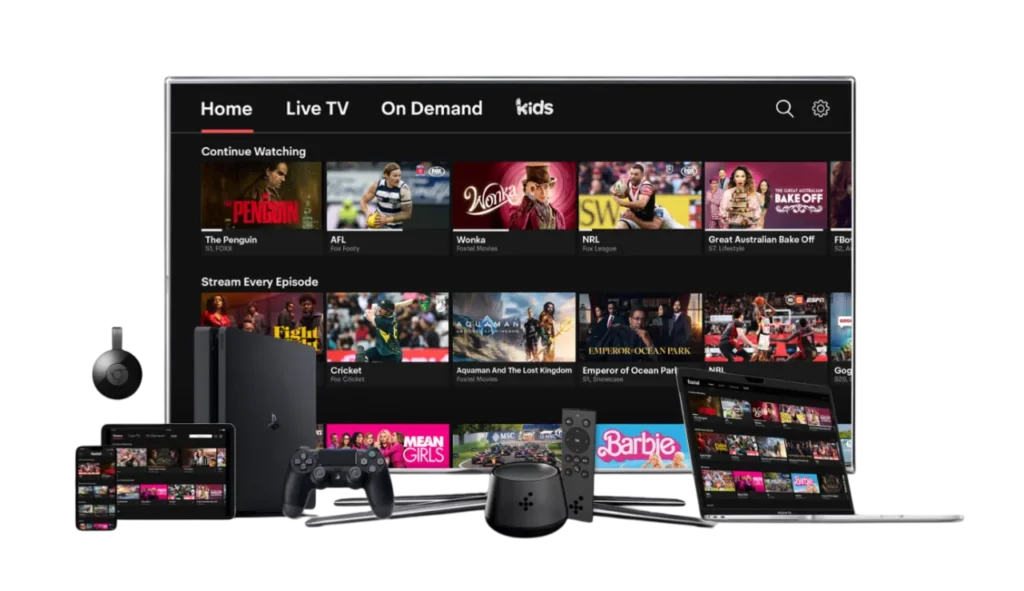
The IPTV M3U Smart Player enables seamless integration with various devices, including Smart TVs, smartphones, tablets, and computers. This adaptability is crucial for users who want to enjoy their favorite shows and channels on different screens. With the rise of streaming services, the demand for efficient IPTV solutions has surged, and M3U players have become essential tools for accessing live TV and on-demand content.
How IPTV M3U Works with Smart Players
Using an IPTV M3U Smart Player is straightforward. Here’s how it works:
- Playlist Integration: Users obtain an M3U playlist, which can be sourced from various IPTV service providers. This playlist contains the URLs of the channels and content available for streaming.
- Player Setup: After downloading an IPTV player, such as IPTV Smarters Pro M3U Player or GSE Smart IPTV Player M3U, users can easily import their M3U playlist into the application. This process typically involves navigating to the settings or playlist section of the player and selecting the option to add a new playlist.
- Streaming Content: Once the playlist is integrated, users can browse through the available channels and start streaming their desired content. The player handles the streaming process, ensuring a smooth viewing experience.
- Customization Options: Many IPTV players offer additional features, such as the ability to record live TV, create favorites lists, and access electronic program guides (EPGs). This enhances the overall user experience, making it more personalized and enjoyable.
The IPTV M3U Smart Player not only simplifies the process of accessing a vast range of channels but also provides high-quality streaming options. With the right player, users can enjoy their favorite shows in HD and even 4K quality, depending on their internet connection and the capabilities of their device.
For those interested in exploring IPTV services, NetIPTVGerman offers a comprehensive selection of channels, including over 36,000 options worldwide. You can find more information about their services on their IPTV Subscription Plans page.
In summary, the IPTV M3U Smart Player is a powerful tool for anyone looking to enhance their viewing experience. By understanding how it works and the benefits it offers, users can make informed decisions about their IPTV needs. For further assistance, feel free to contact us via WhatsApp for support or inquiries about our services.
Benefits of Using IPTV M3U Smart Player
Access to a Wide Range of Channels
One of the most significant advantages of using an IPTV M3U Smart Player is the access to a wide range of channels. With the right M3U playlist, users can enjoy thousands of channels from around the globe, covering various genres such as sports, movies, news, and entertainment. This extensive selection allows viewers to tailor their viewing experience according to their preferences.
Here are some key benefits of accessing a wide range of channels through an IPTV M3U Smart Player:
- Diverse Content: Users can explore channels from different countries, providing a rich variety of content that caters to various tastes and languages.
- Live and On-Demand Options: Many IPTV services offer both live TV and on-demand content, allowing users to watch their favorite shows at their convenience.
- Cost-Effective: Compared to traditional cable subscriptions, IPTV services often provide a more affordable way to access a vast array of channels without the need for long-term contracts.
For instance, NetIPTVGerman offers over 36,000 channels worldwide, ensuring that users have plenty of options to choose from. You can check out their IPTV Channel List for more details.
High-Quality Streaming Options
Another compelling benefit of using an IPTV M3U Smart Player is the high-quality streaming options available. Many IPTV players support HD and even 4K streaming, which significantly enhances the viewing experience. Here’s how high-quality streaming can benefit users:
- Enhanced Visual Experience: Watching content in high definition or 4K provides a clearer, more vibrant picture, making it more enjoyable to watch movies, sports, and shows.
- Smooth Playback: With advanced buffering technology, many IPTV players ensure smooth playback, reducing interruptions and enhancing the overall viewing experience.
- Compatibility with Various Devices: IPTV M3U Smart Players are designed to work seamlessly across multiple devices, including Smart TVs, smartphones, tablets, and computers. This flexibility allows users to enjoy high-quality content wherever they are.
Popular IPTV players like IPTV Smarters Pro M3U Player and GSE Smart IPTV Player M3U are known for their excellent streaming capabilities. They not only support high-quality video but also come with user-friendly interfaces that make navigation easy.
In conclusion, the benefits of using an IPTV M3U Smart Player are substantial. From accessing a wide range of channels to enjoying high-quality streaming options, these players provide a comprehensive solution for modern viewers. If you’re looking to enhance your IPTV experience, consider exploring the various options available and see how they can meet your viewing needs.
For more information on how to get started with IPTV services, feel free to check out our IPTV Subscription Plans or Installation Guide. If you have any questions, don’t hesitate to contact us via WhatsApp for support!
Popular IPTV M3U Smart Players
IPTV Smarters Pro M3U Player
The IPTV Smarters Pro M3U Player is one of the most popular choices among users looking for a reliable IPTV solution. This player is designed to provide a seamless streaming experience, allowing users to access their favorite channels effortlessly. Here are some of the standout features of the IPTV Smarters Pro M3U Player:
- User-Friendly Interface: The application boasts an intuitive interface that makes navigation simple, even for those who are not tech-savvy. Users can easily browse through channels and content categories.
- Multi-Device Compatibility: Whether you are using a Smart TV, smartphone, or tablet, the IPTV Smarters Pro M3U Player is compatible with various devices, ensuring that you can watch your favorite shows anywhere.
- High-Quality Streaming: This player supports HD and 4K streaming, providing users with a superior viewing experience. The advanced buffering technology minimizes interruptions, allowing for smooth playback.
- Catch-Up Feature: Users can take advantage of the catch-up feature, which allows them to watch previously aired content, ensuring they never miss their favorite shows.
For those interested in exploring the IPTV Smarters Pro M3U Player, it is essential to have a reliable M3U playlist. You can find a variety of playlists that cater to different interests, enhancing your viewing experience.
GSE Smart IPTV Player M3U
Another excellent option in the realm of IPTV M3U Smart Players is the GSE Smart IPTV Player M3U. This player is known for its versatility and robust features, making it a favorite among IPTV enthusiasts. Here’s what makes the GSE Smart IPTV Player stand out:
- Extensive Format Support: The GSE Smart IPTV Player supports a wide range of formats, making it compatible with various M3U playlists. This flexibility allows users to access diverse content without limitations.
- Advanced Features: The player includes features such as parental controls, EPG support, and the ability to record live TV. These functionalities enhance the overall user experience, making it more tailored to individual needs.
- Customizable Interface: Users can customize the interface to suit their preferences, allowing for a more personalized viewing experience. This includes options for changing themes and layouts.
- Multi-Platform Availability: Like the IPTV Smarters Pro, the GSE Smart IPTV Player is available on multiple platforms, including iOS, Android, and Smart TVs, ensuring that users can enjoy their content on any device.
Both the IPTV Smarters Pro M3U Player and the GSE Smart IPTV Player M3U offer unique features that cater to different user preferences. Choosing the right player depends on individual needs, such as the type of content you wish to access and the devices you plan to use.
How to Install IPTV M3U Smart Player
Step-by-Step Installation Guide
Installing an IPTV M3U Smart Player is a straightforward process that allows you to access a vast array of channels and content. Here’s a detailed step-by-step guide to help you get started:
- Choose Your IPTV Player: First, select an IPTV player that suits your needs. Popular options include IPTV Smarters Pro M3U Player and GSE Smart IPTV Player M3U. Both players are known for their user-friendly interfaces and robust features.
- Download the App:
- For IPTV Smarters Pro, you can find it on the Google Play Store or the Apple App Store.
- For GSE Smart IPTV, it is also available on both platforms. Simply search for “GSE Smart IPTV” in your app store and download it.
- Obtain an M3U Playlist: You will need an M3U playlist to access channels. This playlist can be obtained from various IPTV service providers. Ensure that the playlist is compatible with your chosen player.
- Open the IPTV Player: Once the app is installed, open it. You will typically be greeted with a welcome screen or a setup wizard.
- Add Your M3U Playlist:
- Navigate to the settings or playlist section of the app.
- Select the option to add a new playlist.
- Enter the URL of your M3U playlist or upload the file if you have it saved on your device.
- Configure Settings: After adding the playlist, you may want to configure additional settings such as parental controls, EPG (Electronic Program Guide) options, and video quality preferences.
- Start Streaming: Once everything is set up, you can start browsing through the channels available in your M3U playlist. Select a channel to begin streaming.
- Enjoy Your Content: With your IPTV M3U Smart Player installed and configured, you can now enjoy a wide range of channels and content at your convenience.
Troubleshooting Common Installation Issues
While installing an IPTV M3U Smart Player is generally easy, you may encounter some common issues. Here are solutions to help you troubleshoot:
- Playlist Not Loading: If your M3U playlist does not load, double-check the URL for any typos. Ensure that the playlist is active and not expired. You can also try using a different player to see if the issue persists.
- Buffering Issues: If you experience buffering while streaming, check your internet connection. A stable and fast connection is crucial for smooth streaming. Consider using a wired connection if possible.
- App Crashes or Freezes: If the app crashes, try restarting your device. Ensure that you have the latest version of the app installed. If the problem continues, consider reinstalling the app.
- No Channels Found: If you see a message indicating that no channels are found, verify that your M3U playlist is correctly added. You may also want to check if the channels are available in your region.
- Audio/Video Sync Issues: If you notice that the audio and video are out of sync, try restarting the app. Some players have settings to adjust audio delay, which can help resolve this issue.
By following these steps and troubleshooting tips, you can successfully install and enjoy your IPTV M3U Smart Player. For more information on IPTV services and playlists, feel free to explore our IPTV Subscription Plans or check out our Installation Guide.
If you have any questions or need further assistance, don’t hesitate to contact us via WhatsApp for support!
Comparing IPTV Smart Players
IPTV Smarters Smart Player M3U vs. GSE Smart IPTV
When it comes to choosing the right IPTV M3U Smart Player, two of the most popular options are the IPTV Smarters Smart Player M3U and the GSE Smart IPTV Player M3U. Both players offer unique features and capabilities that cater to different user preferences. Here’s a detailed comparison to help you make an informed decision.
IPTV Smarters Smart Player M3U
The IPTV Smarters Smart Player M3U is renowned for its user-friendly interface and robust functionality. Here are some of its key features:
- Intuitive User Interface: The player is designed with simplicity in mind, making it easy for users to navigate through channels and content categories.
- Multi-Device Compatibility: It works seamlessly across various devices, including Smart TVs, smartphones, and tablets, allowing users to enjoy their favorite content anywhere.
- High-Quality Streaming: The player supports HD and 4K streaming, ensuring a superior viewing experience. With advanced buffering technology, users can expect smooth playback without interruptions.
- Catch-Up Feature: This feature allows users to watch previously aired content, ensuring they never miss their favorite shows.
- EPG Support: The Electronic Program Guide (EPG) feature provides users with a schedule of upcoming shows, enhancing the overall viewing experience.
The IPTV Smarters Smart Player M3U is an excellent choice for users who prioritize ease of use and a comprehensive feature set. It is particularly well-suited for those who want a straightforward setup process and a reliable streaming experience.
GSE Smart IPTV Player M3U
On the other hand, the GSE Smart IPTV Player M3U is known for its versatility and advanced features. Here’s what sets it apart:
- Extensive Format Support: The GSE Smart IPTV Player supports a wide range of formats, making it compatible with various M3U playlists. This flexibility allows users to access diverse content without limitations.
- Advanced Features: It includes features such as parental controls, EPG support, and the ability to record live TV, which enhances the overall user experience.
- Customizable Interface: Users can personalize the interface to suit their preferences, including options for changing themes and layouts.
- Multi-Platform Availability: The player is available on multiple platforms, including iOS, Android, and Smart TVs, ensuring that users can enjoy their content on any device.
The GSE Smart IPTV Player M3U is ideal for users who seek a more customizable experience and advanced functionalities. It is particularly beneficial for those who want to tailor their viewing experience to their specific needs.
Features to Look for in an IPTV Player
When selecting an IPTV M3U Smart Player, there are several features you should consider to ensure you choose the best option for your needs:
- User Interface: Look for a player with an intuitive and easy-to-navigate interface. A user-friendly design can significantly enhance your viewing experience.
- Device Compatibility: Ensure that the player is compatible with the devices you plan to use, such as Smart TVs, smartphones, tablets, and computers.
- Streaming Quality: Check if the player supports HD and 4K streaming for a superior viewing experience. High-quality streaming is essential for enjoying movies and sports.
- Additional Features: Consider features like catch-up TV, EPG support, and recording capabilities. These functionalities can enhance your overall experience and provide more flexibility in how you watch content.
- Customer Support: Reliable customer support is crucial, especially if you encounter issues during installation or while using the player. Look for players that offer responsive support channels.
In conclusion, both the IPTV Smarters Smart Player M3U and the GSE Smart IPTV Player M3U have their strengths, and the best choice depends on your individual preferences and needs. By considering the features outlined above, you can select the IPTV player that best suits your viewing habits.
For those interested in exploring IPTV services, NetIPTVGerman offers a comprehensive selection of channels, including over 36,000 options worldwide. You can find more information about their services on their IPTV Subscription Plans page.
If you have any questions or need assistance, feel free to contact us via WhatsApp for support or inquiries about our services.
Frequently Asked Questions about IPTV M3U
What is an M3U Playlist?
An M3U playlist is a simple text file format that contains a list of media files or streams, typically used for streaming audio and video content. In the context of IPTV, an M3U playlist serves as a crucial component that allows users to access a wide range of channels and content through various IPTV players. The playlist includes URLs that point to the media streams, enabling seamless playback on compatible devices.
M3U playlists are popular among IPTV users because they offer flexibility and convenience. Here are some key points about M3U playlists:
- Compatibility: M3U playlists are supported by many IPTV players, including IPTV Smarters Pro M3U Player and GSE Smart IPTV Player M3U. This compatibility allows users to switch between different players without losing access to their favorite channels.
- Easy to Use: Users can easily import M3U playlists into their chosen IPTV player, making it simple to start streaming content. Most players have straightforward options for adding playlists, ensuring a hassle-free setup process.
- Diverse Content: With an M3U playlist, users can access a vast array of channels from around the world, covering various genres such as sports, movies, news, and entertainment. This diversity enhances the viewing experience, allowing users to tailor their content according to their preferences.
For those looking to explore M3U playlists, it’s essential to obtain them from reliable IPTV service providers. NetIPTVGerman offers a wide selection of channels, and you can find more information about their services on their IPTV Channel List.
How Can I Use IPTV on My Smart TV?
Using IPTV on your Smart TV is a straightforward process that allows you to enjoy a wide range of channels and content directly on your television. Here’s a step-by-step guide to help you get started:
- Choose an IPTV Player: First, select an IPTV player that is compatible with your Smart TV. Popular options include IPTV Smarters Pro M3U Player and GSE Smart IPTV Player M3U. Check your TV’s app store to see if these players are available for download.
- Download the App:
- For IPTV Smarters Pro, search for it in your Smart TV’s app store and download it.
- For GSE Smart IPTV, follow the same process to install the app.
- Obtain an M3U Playlist: You will need an M3U playlist to access channels. This playlist can be sourced from various IPTV service providers. Ensure that the playlist is compatible with your chosen player.
- Open the IPTV Player: Once the app is installed, open it on your Smart TV. You may be greeted with a welcome screen or setup wizard.
- Add Your M3U Playlist:
- Navigate to the settings or playlist section of the app.
- Select the option to add a new playlist.
- Enter the URL of your M3U playlist or upload the file if you have it saved on a USB drive.
- Configure Settings: After adding the playlist, you may want to configure additional settings such as parental controls, EPG (Electronic Program Guide) options, and video quality preferences.
- Start Streaming: Once everything is set up, you can start browsing through the channels available in your M3U playlist. Select a channel to begin streaming.
- Enjoy Your Content: With your IPTV player installed and configured, you can now enjoy a wide range of channels and content at your convenience.
Using IPTV on your Smart TV provides a convenient way to access your favorite shows and channels without the need for traditional cable subscriptions. For those interested in exploring IPTV services, NetIPTVGerman offers a comprehensive selection of channels, including over 36,000 options worldwide. You can find more information about their services on their IPTV Subscription Plans.
If you have any questions or need assistance, feel free to contact us via WhatsApp for support or inquiries about our services.
In summary, understanding the basics of M3U playlists and how to use IPTV on your Smart TV can significantly enhance your viewing experience. With the right tools and resources, you can enjoy a diverse range of content tailored to your preferences.
Unlock the Power of IPTV M3U Smart Player Today!
In conclusion, the IPTV M3U Smart Player is an essential tool for anyone looking to elevate their streaming experience. With its ability to provide access to a vast array of channels, including over 36,000 options worldwide through NetIPTVGerman, you can enjoy diverse content tailored to your preferences. Here are some key benefits that make the IPTV M3U Smart Player a must-have:
- Wide Range of Channels: Access thousands of channels from various genres, ensuring there’s something for everyone.
- High-Quality Streaming: Enjoy your favorite shows and movies in stunning HD and even 4K quality, enhancing your viewing experience.
- User-Friendly Setup: With straightforward installation guides and 24/7 support, getting started is a breeze, even for those who are not tech-savvy.
- Flexible Compatibility: The IPTV M3U Smart Player works seamlessly across multiple devices, including Smart TVs, smartphones, and tablets, allowing you to watch your favorite content anywhere.
If you’re ready to enhance your viewing experience with the IPTV M3U Smart Player, we invite you to explore our IPTV Subscription Plans for more details on pricing and options. Should you have any questions or need assistance, don’t hesitate to reach out to us directly via WhatsApp. Our friendly support team is here to help you every step of the way!
Start your IPTV journey today and unlock a world of entertainment at your fingertips!
